Hugeicons—The Font Awesome Alternative in 2026
Font Awesome remains among the most widely used icon libraries in 2026 due to its quick setup and familiar syntax. For many years, it served as the default choice for designers and developers. As interfaces have become more design-driven and component-based, many teams now seek Font Awesome alternatives.
An alternative that offers beautiful icons, AI-powered IDE support, icon fonts and CDN delivery, modern SVG workflows, framework-native integration, and stronger visual consistency.
Hugeicons was built with visual quality at its core. Designed by Masum Parvej and the Hugeicons team, every icon is crafted with balanced geometry, consistent strokes, and modern aesthetics, resulting in a clean and refined icon system aligned with today’s UI standards.
Teams often choose this alternative to Font Awesome for its beautiful and modern icon style. They also benefit from React and JavaScript packages, SVG formats, icon fonts, and swift CDN delivery.
In addition, Hugeicons provides a free Icon Font Generator. It allows teams to combine Hugeicons icons with their own custom SVGs into a single unified icon font package.
With that said, let’s get started.
Hugeicons Takeaways (TLDR Section)
- Hugeicons offers a comprehensive library of over 46,000 customizable icons across 59 categories, 10 unique styles & 3 variants. Not only that, but users also get access to 4600+ rounded-stroke-style free icons usable in developer formats.
- Compatible with various platforms, including Figma , React , Icon Font , and more, and allows for icon requests at no additional cost.
- Works smoothly with tools such as v0 by Vercel, Lovable, Bolt, and Figma AI.
- Setup and integration of Hugeicons is straightforward with a dedicated installer and various packages to choose from. That includes SVG, CDN, NPM, and React. It also offers a Figma plugin that enhances design workflow efficiency.
- The platform provides a high level of personalization, with customizable color, size, and stroke width for icons; a user-friendly app with swift search and filter functions; and quick loading times via CDN for global users.
Hugeicons vs Font Awesome 7: Quick Comparison Table
| Feature | Font Awesome 7 | Hugeicons |
|---|---|---|
| Free Icons | ~2,089 | 4,600+ |
| Total Icons | 63,119 (distributed across packs) | 46,000+ |
| Same Icons in Every Style | ❌ No (Uneven coverage across packs) | ✅ Yes |
| Style Consistency | Partial | Full |
| Icons Missing Between Styles | Common | None |
| Design Grid | Mixed | 24px Unified Grid |
| Stroke Consistency | Varies by icon pack | Consistent across all icons |
| Visual Aesthetic | Mixed legacy + Modern | Modern, clean, design-first |
| Icon Styles | 30 styles (across multiple packs) | 10 consistent styles |
| React Support | Yes | Yes |
| TypeScript Support | Yes | Yes |
| Icon Font Support | Yes | Yes |
| CDN Delivery | Yes | Yes |
| Icon Font Generator | ❌ No | Yes |
| Custom Icon Requests | Paid (~$300 per icon) | Free icon requests |
| Best Fit for Design Systems | Medium | High |
| Figma File | ❌ No | Yes, Made for Figma design system |
| Best Fit for Modern UI (2026) | Moderate | Excellent |
Therefore, it’s quite evident from the table that Hugeicons isn’t simply a temporary Font Awesome alternative. Rather, it offers a long-term upgrade designed keeping in mind usability, flexibility, and scalability across modern UI systems.
Hugeicons: A Design-Focused Alternative to Font Awesome
Design-driven products demand more than basic symbols. Teams increasingly look for icon libraries where proportion, rhythm, and visual harmony are carefully considered. Icons are no longer just utilities, they are part of the product’s visual identity.
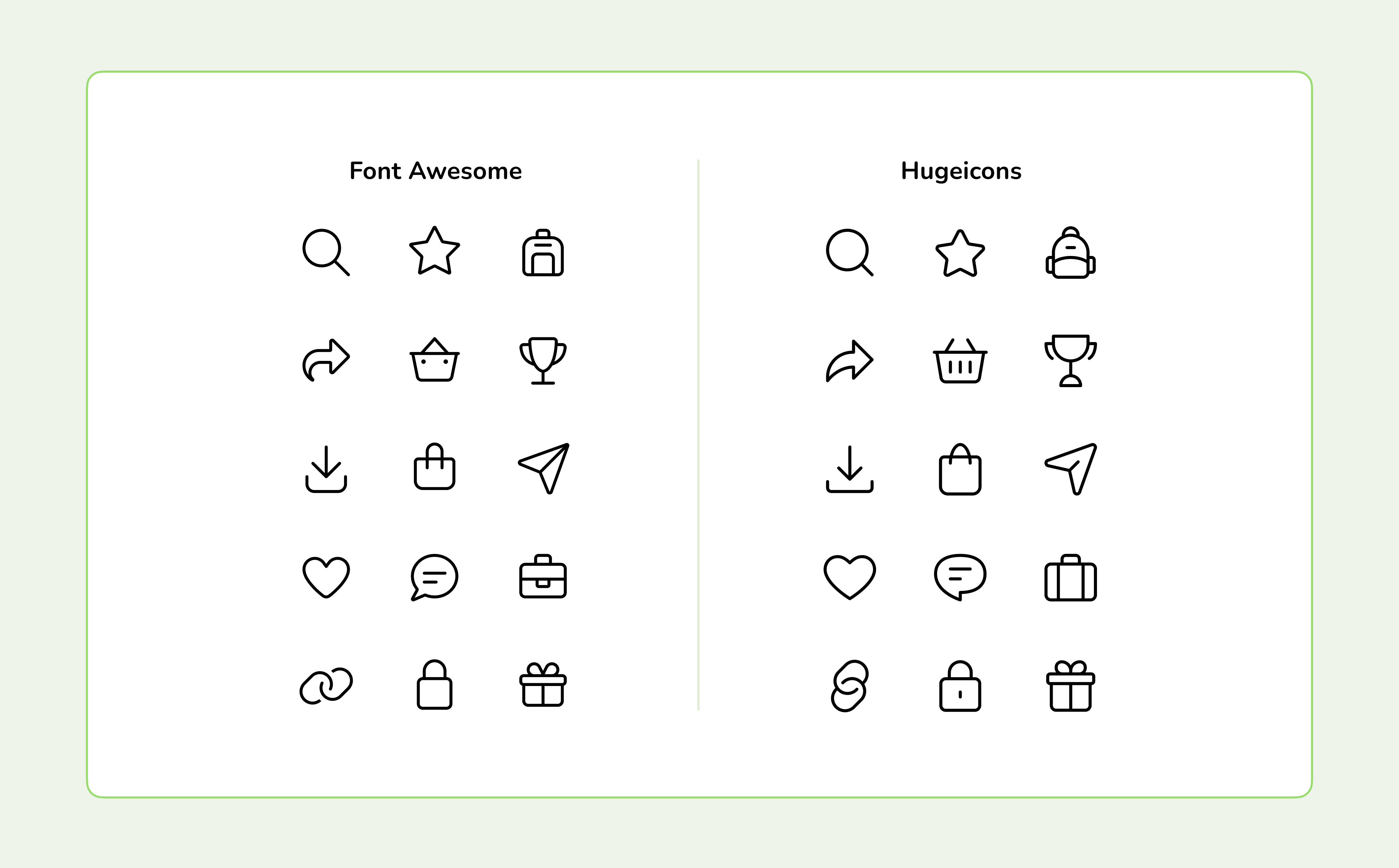
Hugeicons is a modern alternative built for teams that want more than a single visual style per icon. Instead of offering one fixed look for each symbol, Hugeicons provides multiple stylistic variations of the same icon, allowing teams to maintain visual harmony while adapting icons to different UI contexts.
Hugeicons vs Font Awesome: Icon Style Comparison
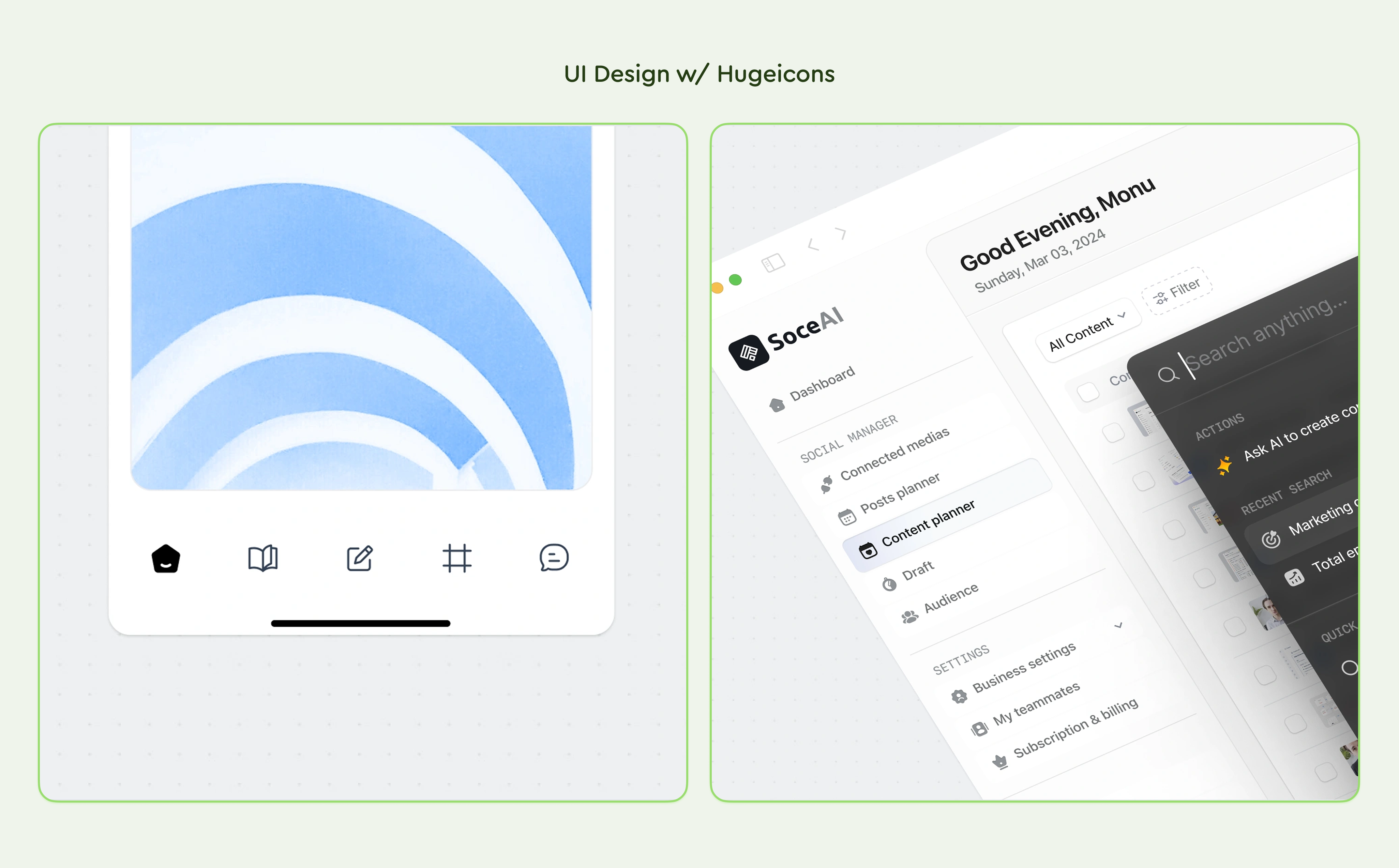
UI Design Examples Using Hugeicons
So if you’re wondering what is the free alternative to Font Awesome? We present to developers & teams the Hugeicons icon font library.
Hugeicons prioritizes consistency along with flexibility. The icon fonts are compatible with mobile apps, SaaS platforms, and website pages. It focuses on ample integration support, clarity, and scalability. All of this makes Hugeicons a reliable Font Awesome alternative, designed keeping real product environments in mind.
Installing Hugeicons: The Free Font Awesome Alternative
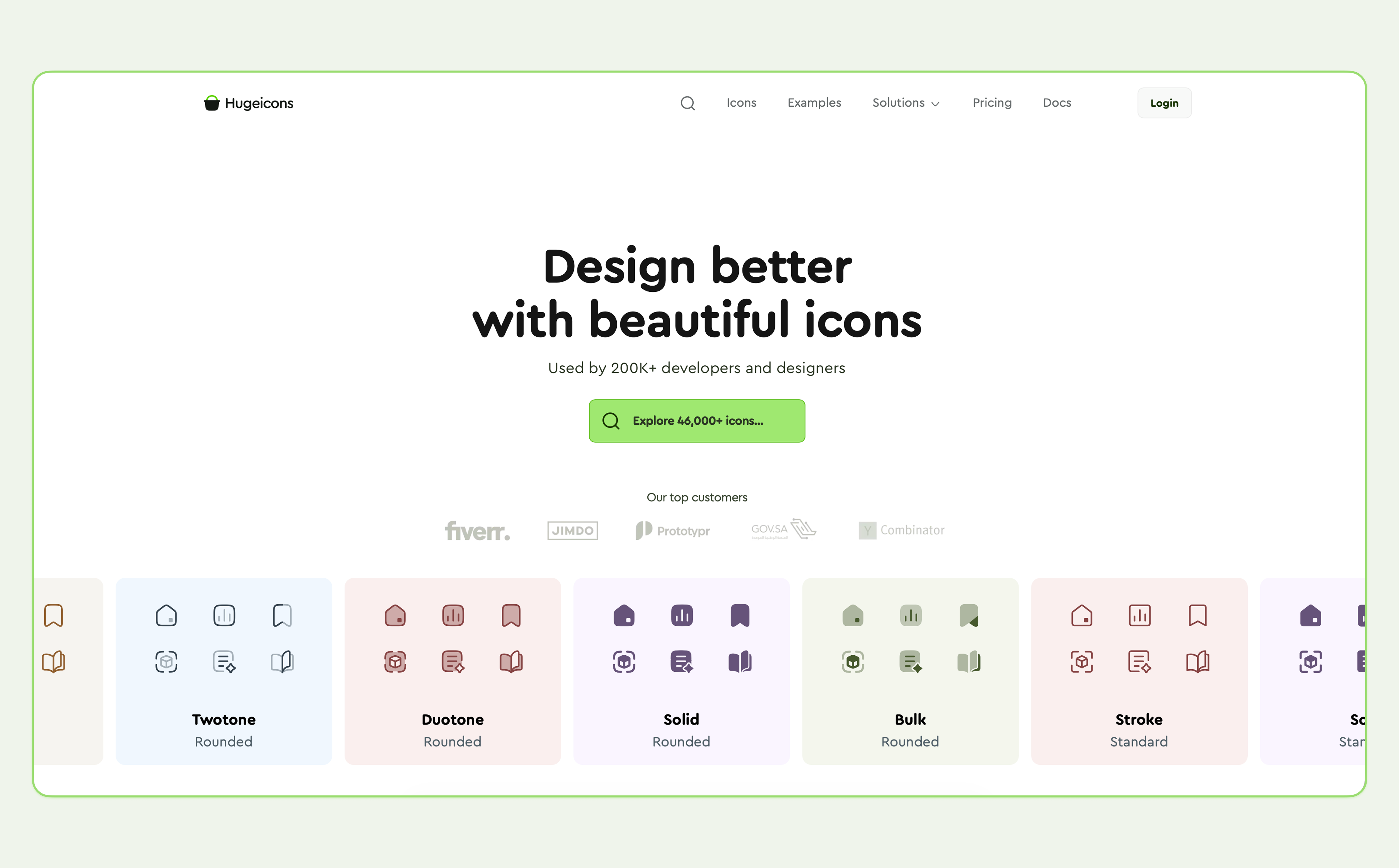
Docs: https://hugeicons.com/docs/
Hugeicons is easy to install and use across all major platforms. You can set it up manually with platform-specific installers in just a few steps and start using SVGs, icon fonts, React components, or CDN links right away. Supported platforms and integrations include:
• React – Integrate Hugeicons with React applications
• Vue – Use Hugeicons in Vue.js projects
• Angular – Add Hugeicons to Angular applications
• Svelte – Integrate Hugeicons with Svelte
• React Native – Use Hugeicons in React Native mobile apps
• Flutter – Add Hugeicons to Flutter applications
• WordPress – Use Hugeicons in WordPress sites
• Webflow – Integrate Hugeicons with Webflow projects
For larger projects and AI-assisted coding, Hugeicons provides MCP (Model Context Protocol) servers. Hugeicons MCP allows AI assistants like Claude and Cursor to browse, search, and retrieve icons directly within IDEs. It gives instant access to 46,000+ icons, generates ready-to-use code snippets, and supports multiple frameworks, helping teams install and use icons faster and more efficiently.
Switching from Font Awesome to Hugeicons:
Migrate your project from popular icon libraries to Hugeicons with ease.
Migrating from icon libraries like Font Awesome, Lucide, or Heroicons is often a confusing and heavy task in real codebases. Icons are spread across components, imported in different patterns, and tightly coupled to UI logic. We built @hugeicons/migrate to handle this safely. This CLI tool scans your project, detects existing usage, and maps icons to their Hugeicons equivalents with built-in preview, backup, and rollback support making it suitable for production-grade React applications.
- Smart Detection: It automatically identifies import statements from libraries like Font Awesome, Lucide, Heroicons, Feather, Tabler, and Phosphor.
- Detailed Planning: You can preview all icon mappings (old → new) and file modifications before any code is actually touched.
- Safety First: The tool creates automatic backups before applying changes and allows you to revert to a previous state at any time.
- TypeScript Optimized: It automatically updates types and handles complex patterns like dynamic icon rendering to keep your build clean.
That’s not all. This Font Awesome alternative also gives teams access to the following perks:
- Request custom icons tailored to their needs without any additional charge
Hugeicons: Compatibility Across Platforms
Hugeicons offers smooth integration with development workflows and modern UI designs. Such seamless integration helps avoid workflow disruptions and makes adoption easy as an alternative for Font Awesome.
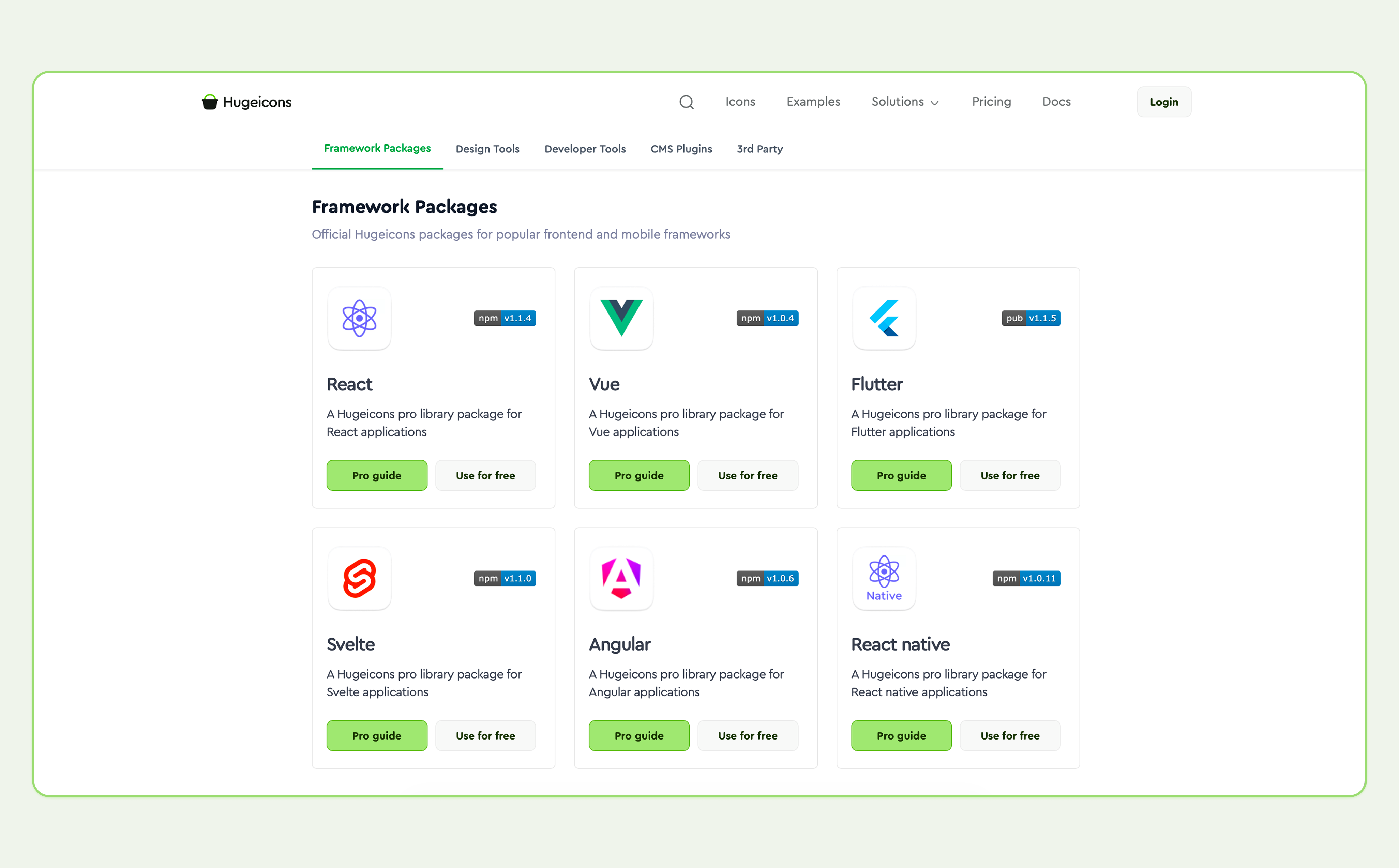
Hugeicons is compatible with various framework packages , design & developer tools, and CMS plugins. The Font Awesome alternative for React also supports various third-party integrations.
| Category | Supported Platforms & Technical Features |
|---|---|
| Modern Web | Next.js, React, Vue, Svelte, Angular, HTML/CSS. |
| Mobile & App Dev | React Native, Flutter (Dart 3 compatible). |
| Design Ecosystem | Figma (Plugin & Source File), Framer (Plugin), Sketch, Canva, Adobe Illustrator, IconJar. |
| AI Workflows | MCP Server for AI assistants (Claude Code & Cursor), AI-powered search on the web app. |
| CMS & No-Code | Webflow (Dedicated App & Custom Embeds), WordPress (Official Plugin), Elementor, Framer. |
| Developer Tools | VS Code Extension, NPM (Modular packages), private NPM registry for Pro. |
| Icon Library | 46,000+ total icons, 4,600+ Free icons, 59 Categories, 10 Unique |
| Stats | Styles. |
| Technical Specs | Tree-shaking, TypeScript support, 24px grid alignment, 3 Variants (Rounded, Standard, Sharp). |
| Custom Management | Custom Icon Manager (Upload 50–500 brand SVGs), Roadmap-based icon requests. |
Also, check out our blog on the Best Django Icon Libraries in 2026 . You’ll find all the latest updates and icon integrations. Thank us later.
Alternative to Font Awesome: Hugeicons Free Tier Comparison
Hugeicons vs Font Awesome 7: Free Font Icons
Font Awesome provides 2,089 free icons in its free tier, primarily focused on a limited subset of styles.
In comparison, Hugeicons offers 4,600+ completely free icons , all available in the Stroke Rounded style and organized across 59 categories. Teams can use these free icon fonts in SVG, React, icon font, and CDN formats, making them suitable for real production use rather than prototyping only.
This gives teams access to more than double the number of free icons while maintaining consistent stroke, spacing, and grid alignment across the entire free set.
Hugeicons vs Font Awesome 7: Free Tier Comparison Table
| Feature | Font Awesome 7 (Free) | Hugeicons (Free) |
|---|---|---|
| Total Free Icons | 2,089 Icons | 4,600+ Icons |
| Visual Style | Mixed (Solid, Regular, Brands) | Stroke Rounded (Modern/Balanced) |
| Categories | 68 General Categories | 59 Specialized Categories |
| Usage License | Personal & Commercial | Unlimited Personal & Commercial |
| Figma File | NO | Official Free Figma File |
Hugeicons Icon Font Generator (Free Tool)
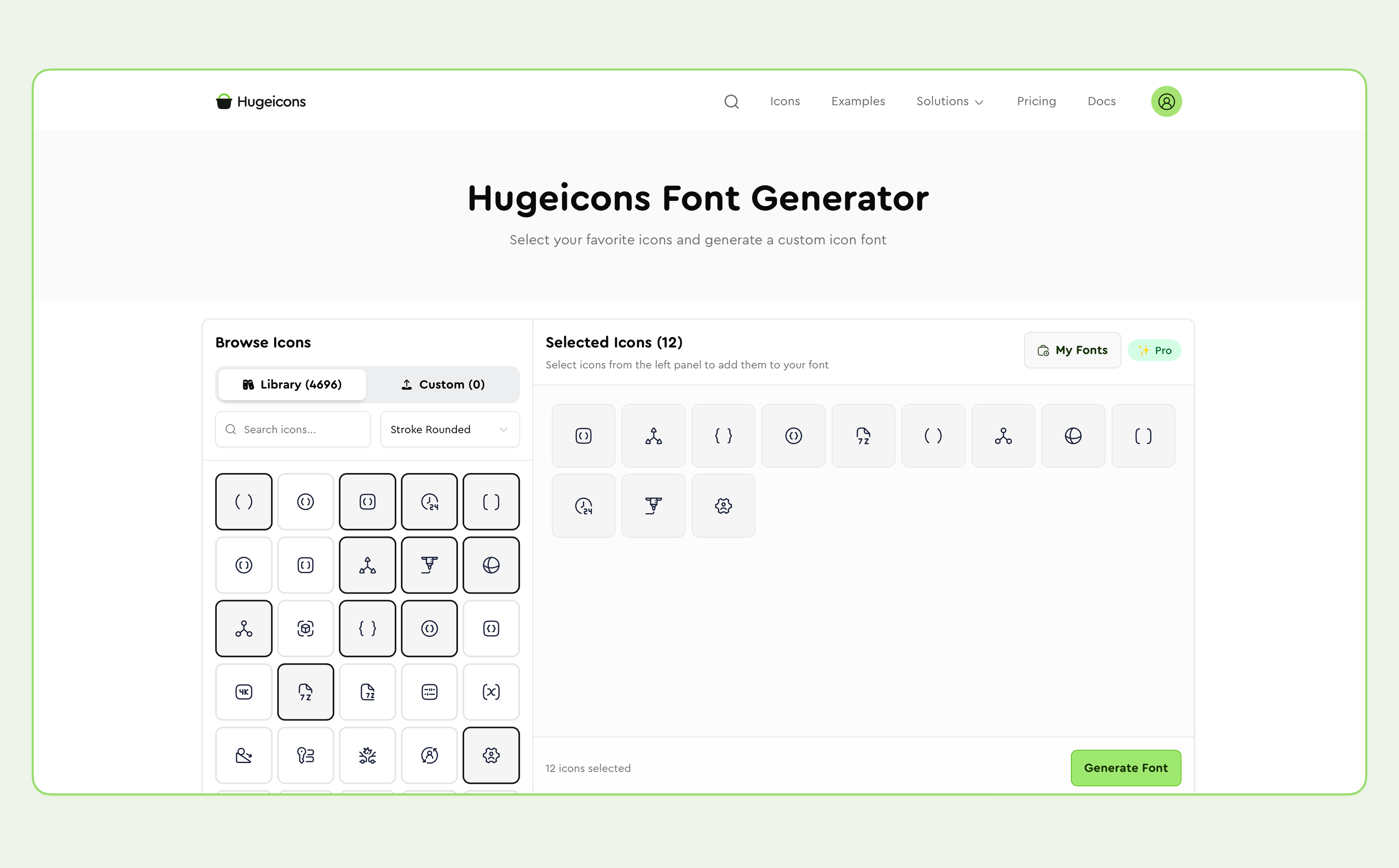
This alternative to Font Awesome includes a free Icon Font Generator that helps teams create a custom icon font package.
You can select icons from the Hugeicons library and also upload your own SVG icons, then export everything together as a single unified icon font. This is useful when you want one consistent icon set across multiple projects or platforms.
Summary
When considering the ideal Font Awesome alternative, few factors come into play. That includes long-term usability, consistency, scalability, and flexibility. And this is where Hugeicons shines brighter than the rest.
Be it web pages, mobile apps, or SaaS dashboards, it offers icon fonts for real and scalable products. It’s compatible with modern frameworks like Figma and React, offers consistent styles, and has a unified icon font library of 46000+ ready-to-use icons . All of these features make the transition from Font Awesome to Hugeicons for teams easy and convenient.
So, for teams tired of outdated, traditional libraries, here’s a future-proof and reliable Font Awesome alternative: Hugeicons.
Psst! Don’t forget to read our recent blog on Icon Fonts . It talks about icon fonts in detail: what they are, pros & cons, and so on.
Related Posts
Icon as Fonts and Everything to Know About It
If you’ve ever worked as a web developer or designer, you’ve certainly used icons in your projects. Icons are a must-have tool in every dev or...

How to Use Blade Icons in Laravel Projects
Blade icons are a great choice when you want clean, scalable icons without the hassle of font files or extra dependencies. They work in all...
Best Django Icon Libraries in 2026
Imagine working on a Django project and suddenly needing the perfect icon to finish your UI. Searching through dozens of icon libraries...
Top VS Code Icon Extensions
Imagine coding in VS code and you suddenly need an icon for your project. The old school way would be to frantically look for the icons you need...
Best React Native Icon Libraries in 2026
React Native icons work fine when developing locally, only to break when you deploy; they just don't load or show up as empty spaces. Every React...
Best Svelte Icon Libraries You Can Get Your Hands On Today
Icons do more heavy lifting than most developers realize. They are tiny communication tools that help users understand your app at a glance, and...